SMS Consent & Opt-In Workflow
Reference document for messaging compliance reviewers. This page documents exactly how BeeLocal end users opt in to receive one-time SMS verification codes.
1. Where opt-in occurs
Opt-in is collected on a single screen in the BeeLocal mobile application: the new-account sign-up screen (the “Create Account” flow). SMS is not used for returning-user sign-in (email/password) or for password reset (email link).
2. End-user action constituting opt-in
The user (a) enters their own phone number into a text field on the sign-up screen, and (b) taps a button labeled Create Account. No SMS is sent unless both actions occur. There is no auto-enrollment, no pre-checked checkbox, and no consent carried forward from a different agreement.
3. Exact disclosure text shown to users
The following text is displayed directly above the Create Account button, on the same screen, in plain readable type. Quoted verbatim:
“By tapping Create Account, you agree to receive a one-time SMS verification code at the number provided. Message and data rates may apply. Reply HELP for help, STOP to opt out.”
4. Screenshot of the consent UI
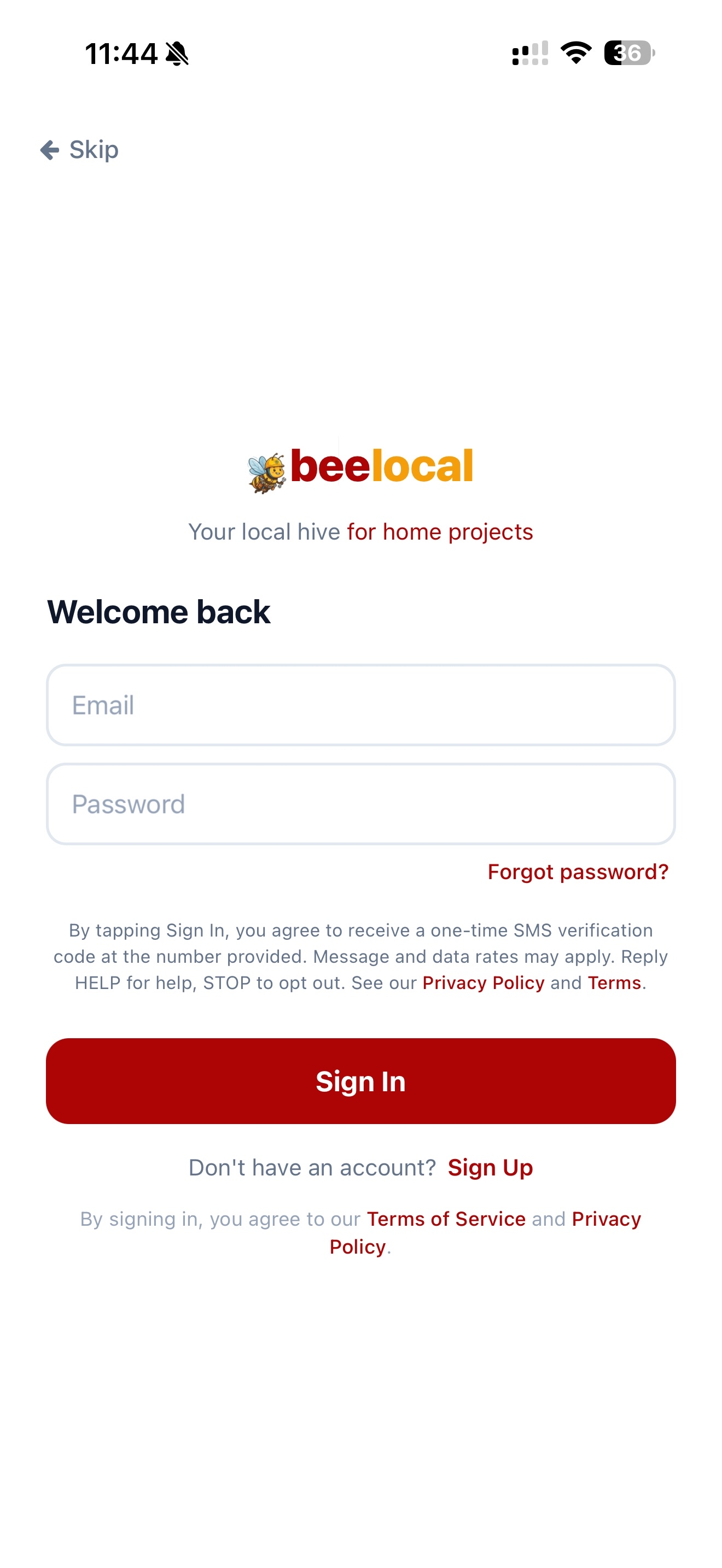
The image below is a screenshot of the BeeLocal mobile app sign-up screen showing the disclosure text rendered directly above the Create Account button. The user must tap that button to send their phone number and receive a code.
Direct image URL: https://beelocals.com/sms-consent-screenshot.png
5. Message frequency
One SMS per user-initiated sign-up. A typical user receives a single verification SMS at the moment of account creation; additional codes are sent only if the user explicitly re-triggers verification. Each message contains a single 6-digit numeric verification code, the BeeLocal brand identifier, and HELP/STOP keywords.
6. Sample message text
Your BeeLocal verification code is 482915. Don't share this code with anyone. Reply STOP to opt out.
7. Opt-out / HELP
- Replying STOP to any verification SMS unsubscribes the user's phone number from future BeeLocal SMS.
- Replying HELP returns an automated reply with our support email hello@beelocals.com and a link to https://beelocals.com/support.
- Users can also delete their account from within the app or by emailing hello@beelocals.com, which removes the phone number from our system entirely.
8. Data handling
Phone numbers and opt-in records are stored exclusively in BeeLocal's authentication database (Supabase) and are used solely for account authentication. Numbers are never sold, leased, transferred, or shared with any third party for marketing, advertising, or any other purpose. Text-messaging originator opt-in data and consent will not be shared with any third parties or affiliates. Full data practices are documented in our Privacy Policy.
9. Contact for compliance questions
BeeLocal LLC
4030 Wake Forest Road, Ste 349
Raleigh, NC 27609
hello@beelocals.com